
Stop Re-Prompting: Your Second Brain Should Write Your Agent's Instructions
July 20, 2026 · Tommy Puglia
Every session with an AI agent starts the same way for most people I work with. Open the chat, paste in the background, re-explain the project, re-list the requirements, and pray the model holds it all together long enough to do something useful. Then the session ends, the context is gone, and tomorrow you do the whole dance again.
I did this for months. It drove me nuts. I hate redundancy.
So here’s where I’ve landed: if you’re still hand-feeding context to your agent every time you sit down, the problem isn’t your prompt. It’s that your prompt is doing a job your harness should be doing. And I don’t mean one harness. I mean two harnesses that talk to each other: one that organizes your business context, and one that executes against Power BI and Fabric. Once I wired those two together, the re-prompting basically stopped. Let me walk you through exactly how.
A Better Prompt Won’t Save You
We’ve spent the last two years telling everyone to get better at prompting, and fine, prompts matter. But the model itself is just text in, text out. Everything that actually makes an agent useful lives AROUND the model. The skills you give it. The context it can reach. The tools it can call. The place it reports back to.
If you asked me for the one thing you need to make AI work on a real Fabric project, I’m not going to say a clever prompt. I’m going to say the harness, and how you plan it out. A prompt, even a great one, is a snapshot. It knows what you typed and nothing else. It doesn’t know what the client said in Tuesday’s meeting. It doesn’t know about the CSV they emailed over with the API schema. It doesn’t know that a missing column is a blocker for your semantic model. You know all of that. The question is whether your agent can know it without you re-typing it every single session.
A harness that works needs four things. Skills, so the agent knows how to do the work correctly instead of guessing at what a semantic model even is. Agents with intentional, defined roles, not one chatbot you ask to do everything. Organized context, not a pile of notes. And the ability to talk to other tooling, because no single environment does all of this well. Those four wheels make up the car. Lose one and you’re pushing it uphill.
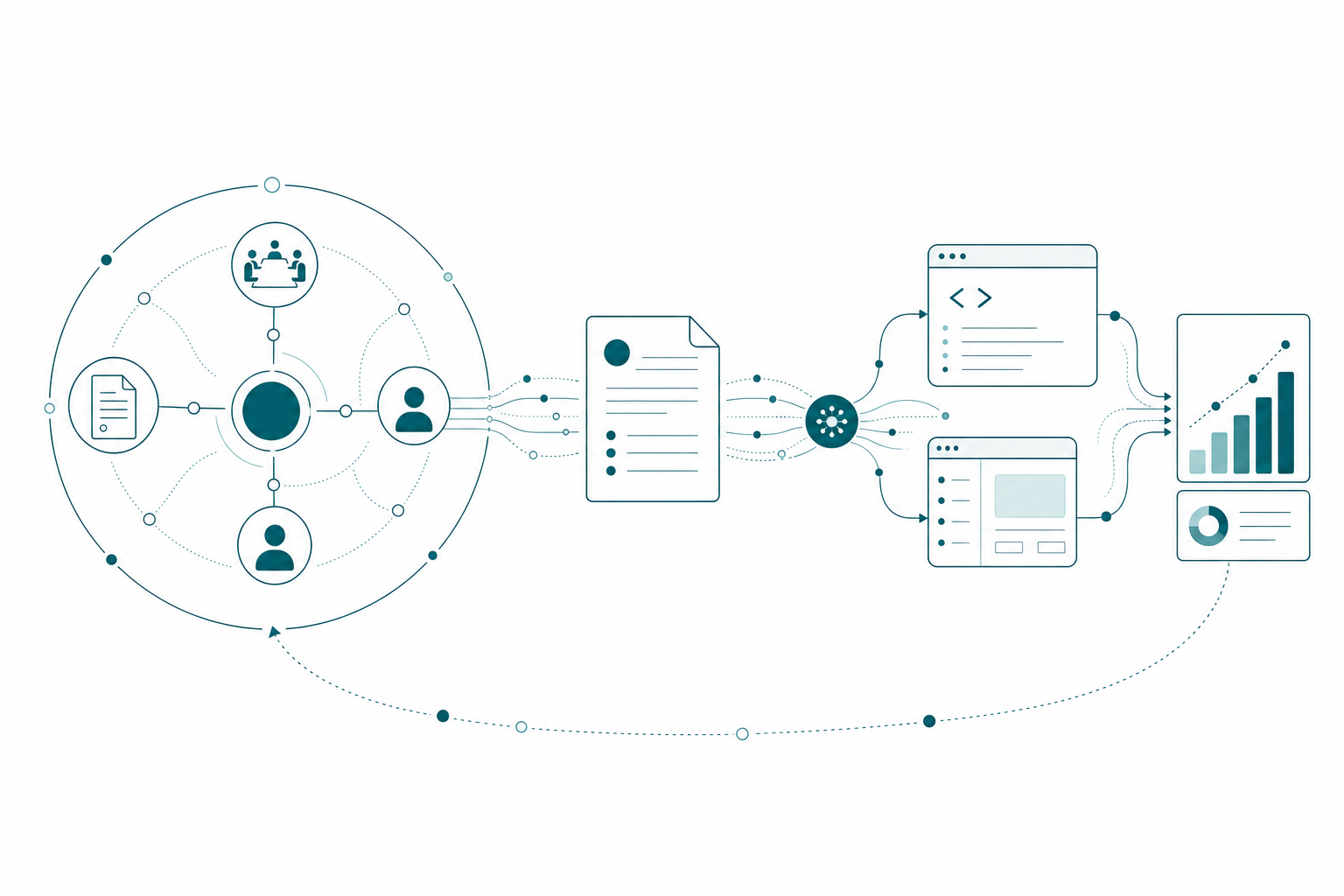
The first harness organizes business context around a project hub. That context gets distilled into an instructions page, and the second harness executes it over MCP against Power BI and Fabric. Results flow back to the hub, and the cycle repeats.
Give Context a Home
The first harness is the second brain. For me that’s Notion, and I’ll admit it, I’m a full Notion nerd at this point (I don’t go a day without it). But the tool matters way less than the structure, so steal the structure even if you use something else.
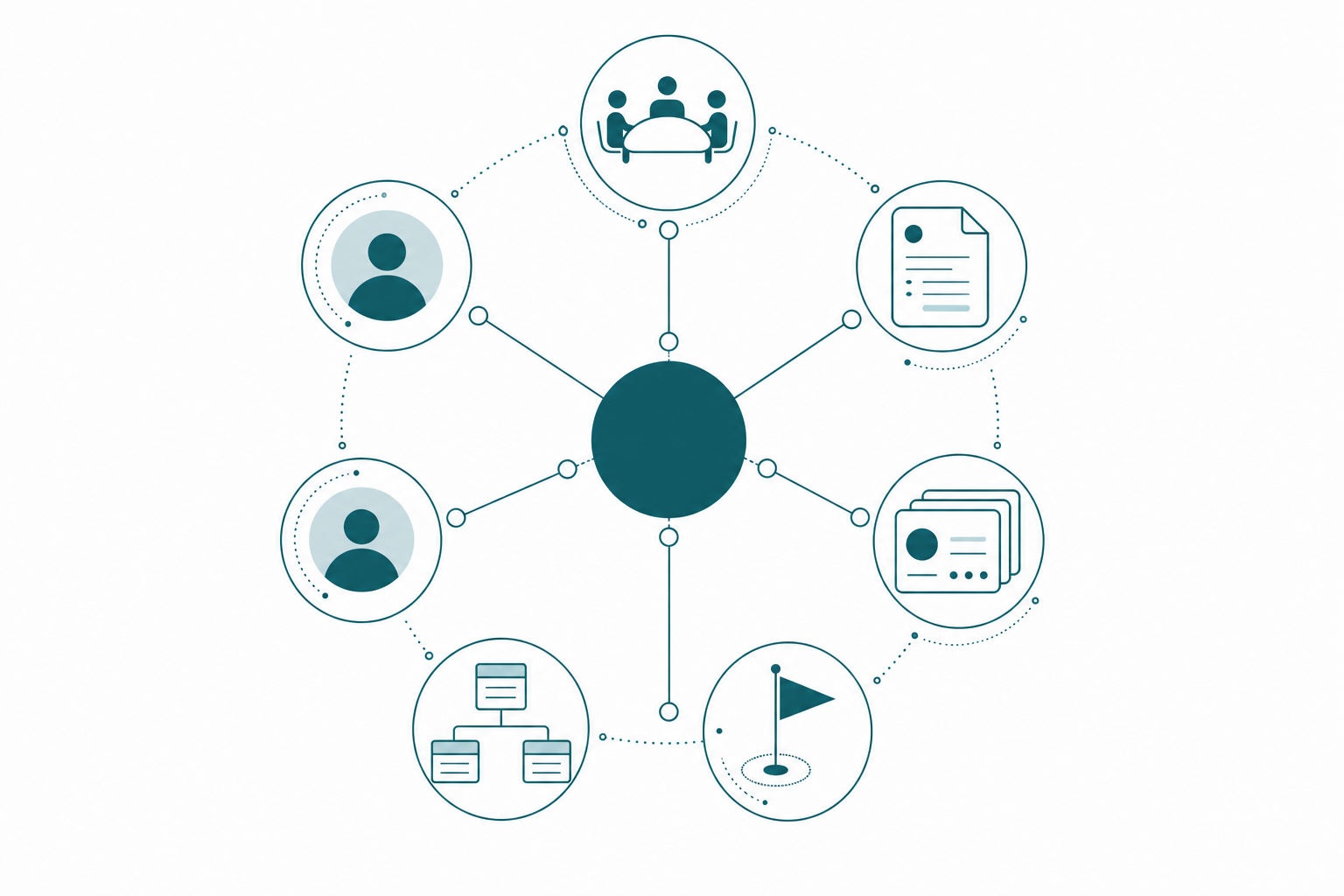
The structure is this: the project is the hub, and everything else relates to it through actual database relations, not folders. In my setup:
- A projects database, where each project is a page. This is the hub.
- A meetings database, related to projects, so every meeting note knows which project it belongs to.
- A milestones database, related to projects, tracking deliverables and what blocks them.
- A resources index page inside each project, holding the data diagrams, the statement of work, the reference PDFs, the metric definitions somebody handed me in week one.
Why relations instead of a folder of notes? Because the relations are what let an agent reason about a project instead of just searching it. The system understands that this meeting belongs to this project, that this resource sits under that index, that this milestone is blocked by that missing column. I whiteboarded this before I built any of it, and the realization that the project had to be the hub was the whole unlock.
Hire a Department, Not an Assistant
On top of that hub sit the agents, and I was very intentional here. Not one general assistant. Three, each with a job.
The first is Polpette (yes, meatball… I’m Italian, what do you want from me). Polpette is my consultant’s consultant. It knows Fabric, it knows my consulting practice, it knows my previous projects, and its job is to look at any status update or meeting note and help me plan the next steps. The second is Operazioni, my operations agent. It organizes pages, keeps statuses current, and flags blockers, like when a meeting reveals that a column we need doesn’t exist yet. The third handles status updates. And they talk to each other, because I instructed them to.
The best mental model I’ve found? It’s a department. The second brain isn’t a form I fill out, it’s a small team I have conversations with. I’ll ask, “we had a call today, does anything we discussed block the semantic model work?” and the agents go check the model page, the milestones, the meeting note, and come back with an answer. I’ve even built one persona agent just for gut checks on hard project calls (if you’ve watched Billions, you know exactly the tone I gave it).
Skills close the loop. I didn’t want a generic model improvising what a semantic model build looks like. Microsoft already published skills for Fabric, so I converted them into skills my Notion agents can use. Now the agent that plans my work knows the same rules as the agent that will execute it. That consistency matters more than people think.
The Instructions Page Is the Handoff
Here’s where most second-brain setups stop, and where the interesting part actually starts. A second brain that only updates itself is a diary. The value shows up when it starts writing for another harness.
For every project, I have my agents generate a Claude instructions page. This isn’t a paragraph. It scrolls, man. It’s built by agents that have read every meeting note, every resource, every status, and it covers:
- What we’re building and why
- Which measures to create, with the business definitions behind them
- The known blockers and what to check before starting
- Which MCP servers to use for the work
- Where we left off last session
- And critically: what to report back to Notion when the work is done
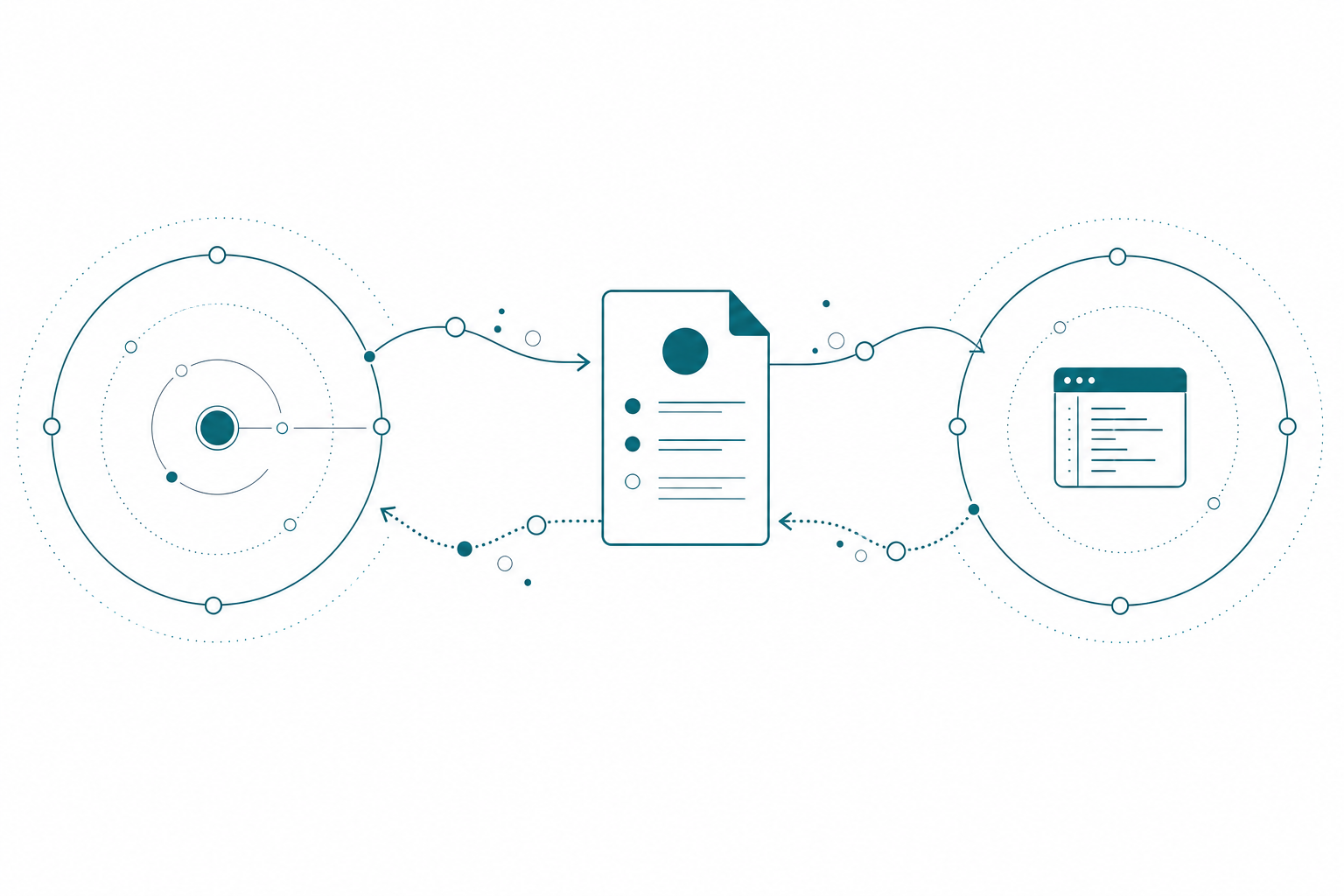
Months of business context, distilled into an operational brief. That page is the handoff between the two harnesses, and it runs in both directions: instructions go out, results come back, every cycle.
Execution: MCP Against Power BI and Fabric
The second harness is where the work happens: Claude Desktop, Claude Code, or an IDE like Cursor or VS Code. I open a session and say one thing: read the Claude instructions for this project’s semantic model work, and let’s start there.
The agent pulls the instructions page over the Notion MCP server. It reads perfectly. It sees where we left off, because last session’s recap is sitting right in the page. Then it goes to work over the Fabric MCP: creating and validating notebooks, building out the semantic model, editing measures, checking against the blockers the instructions warned about. I’m not pasting context into the chat. I’m not re-explaining anything. I don’t even have to touch fabric.com for most of it.
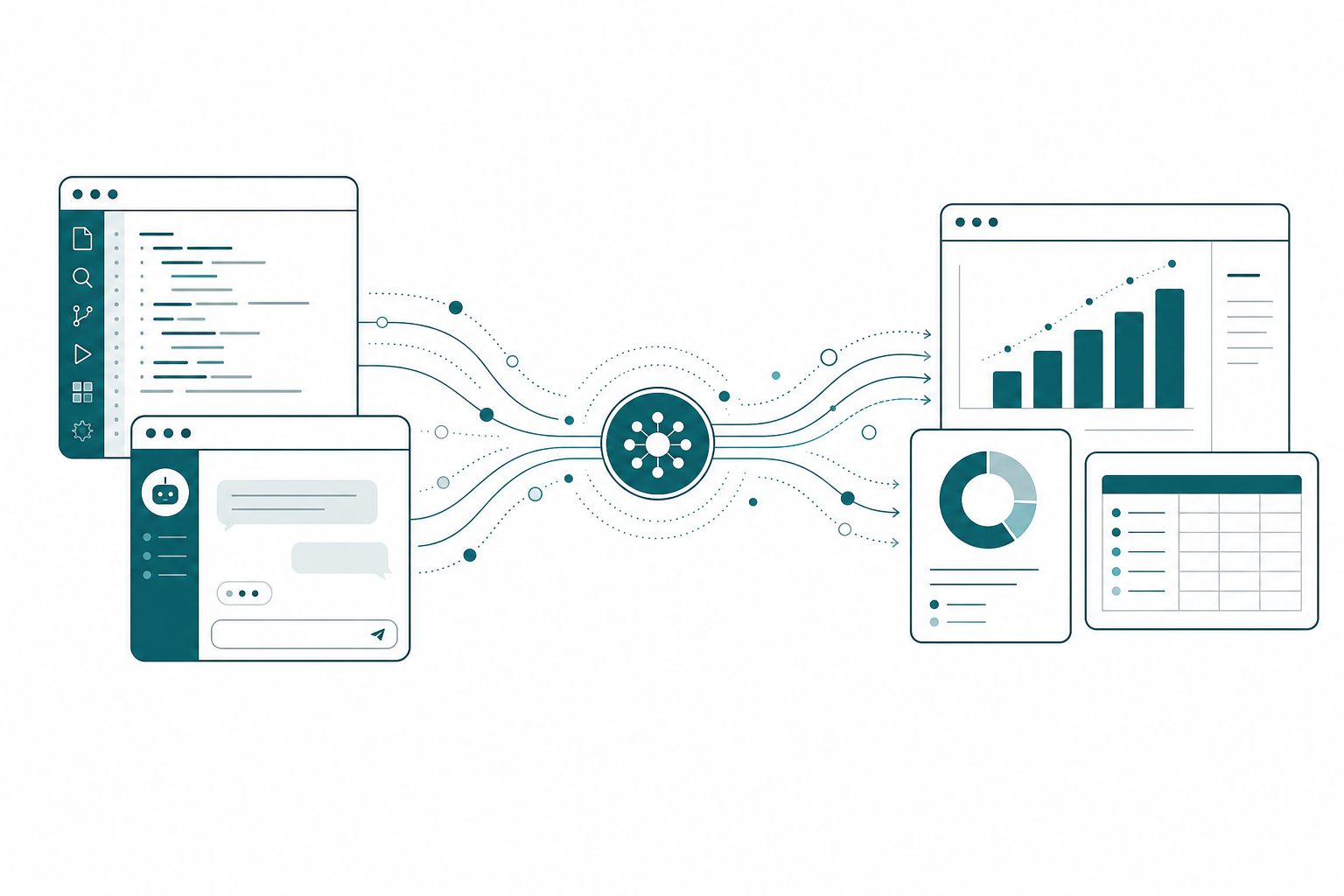
MCP is the bridge that makes all of this real. Fabric is becoming more of a backend you talk to through APIs and MCP servers, and honestly? I’m fine with that. I don’t need my data platform to also be my note-taking app. I need it to expose the right hooks so my harnesses can reach it.
One example of how far this goes. A discovery phase handed me somewhere north of 25 API calls to evaluate against an existing model. Different endpoints, different equipment data, first time seeing any of it. The old me opens Postman and grinds through it for a day. Instead, Polpette and my Fabric advisor agent worked together to write Claude instructions for the Chrome extension: go to Postman, run every call we got from the meetings and the emails, capture each schema, and map how each response relates to the current model. Then it ran. I had my coffee and played catch with my son while the discovery did itself.
And here’s the thing: the output in Postman was never the point. The point was the report.
The Report Files Itself
This is the part people miss, and it’s the part I push hardest. Every agent task ends the same way: update the second brain. Tell it what you did.
When the execution harness finishes the semantic model edits, the instructions require a recap back to Notion. That recap triggers Operion, which flips the deliverable status, which updates the project, which means tomorrow’s instructions page already knows the measures exist. The Postman discovery filed its schema findings back into the project the same way. Output without a filed report is work your system never learns from, and you’re back to square one next session.
Which is why the central repository is non-negotiable, and also why the specific tool is not. Can you do this without Notion? Of course you can! A git repo full of markdown works. If your company lives in Azure DevOps, the ADO wiki works, and there’s an Azure DevOps MCP server that can read and write it. Some teams have gone as far as letting agents write ALL of their wiki documentation, with the humans just reviewing it. The requirement is simply this: one place where context is stored and organized, that both the humans and the agents can read and write. Without it, every agent run starts from zero.
Build This Week
You don’t need my whole setup to feel the difference. Here’s the starter version, one deliverable, this week:
- Pick your central repository. Notion, a repo of markdown files, or the ADO wiki if that’s where your team lives. Don’t overthink it; pick the one your agents can reach over MCP.
- Create one project hub and relate your real context to it: the meeting notes, the SOW, the data contract, the metric definitions.
- Define two or three agents with narrow jobs and write down what each one owns. A planner, an organizer, a status keeper. Resist the urge to make one agent that does everything.
- Give them real skills for Fabric and Power BI work. Start from Microsoft’s published Fabric skills rather than letting the model improvise.
- Generate one instructions page for one deliverable, and make your agents write it from the context, not you.
- Execute it over MCP from your IDE or Claude Desktop, and require a written recap back to the hub when it finishes.
Run that loop once. The second run is better than the first, because the system remembered. That’s the moment it clicks.
Takeaways
- Stop optimizing the prompt and start building the loop. The model is text in, text out; the harness around it is what does the work.
- A working harness has four wheels: skills, agents with defined roles, organized context, and the ability to talk to other tooling.
- Make the project the hub of your second brain, with meetings, milestones, and resources related to it, so agents can reason instead of just search.
- The handoff is an instructions page your second brain writes for your execution harness, and the return trip is a required recap.
- The tool doesn’t matter, the central repository does. Notion, a git repo, or the ADO wiki all work if humans and agents can both read and write it.
The prompt was never the product. The harness is, and English is quickly becoming the interface to the whole thing. If this sparked something, keep the conversation going with us on the Explicit Measures podcast, and subscribe at PromptingBI for more.