
Meet My Assistants: The Three Agents That Keep My Projects Honest
August 3, 2026 · Tommy Puglia
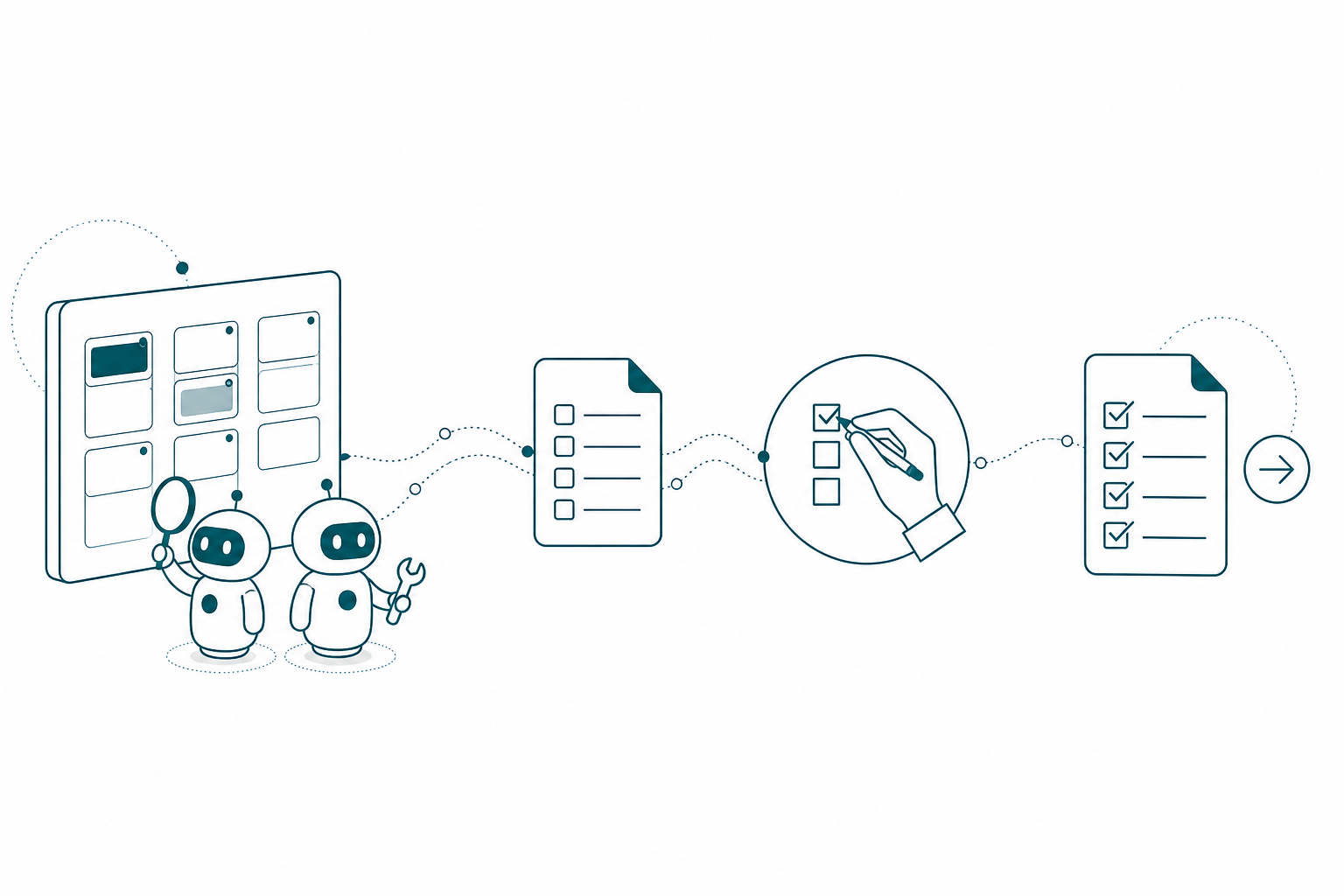
Every consulting project I’ve ever seen has the same quiet lie in it: the records say one thing and reality says another. The milestone reads “In progress” two weeks after the work shipped. The deliverable says “Not started” when it was finished on a Tuesday call nobody logged. Left alone, that gap grows until the status update becomes an archaeology project you do the night before the client call.
I used to close that gap by hand. Now my assistants close it with me. This is part 3 of the series (part 2 built the hub), and it’s the part that ties the harness together: the assistants are what make the organized context, the MCP sessions, and the Fabric project work function as one system instead of separate tricks. Because a second brain with stale records isn’t a second brain. It’s a liability with good formatting.
These Are My Assistants
Quick recap for anyone joining here: I don’t run one general-purpose agent in Notion. I was very conscious and very intentional about what I wanted agents to do, and what I ended up with is three assistants that sit on every project. I want to be precise about that word, because it’s the right one. These aren’t automations running a workflow diagram while I watch. They’re assistants, and they work with me across the whole span of the job: the admin I would otherwise put off, the project records, all the way down to the nitty gritty of individual data points. And the part that took me longest to internalize: I’m having conversations with them. I’m not just telling them what to do.
Polpette (it means meatball in Italian; I have Carlo to thank for the name) is my consultant’s consultant. It carries agent skills around Fabric and Power BI, all the resources on my consulting practice, and the history of every previous project, and its job is judgment. It’s the one that drives requirements: pull the deliverables out of a statement of work with estimated hours, shape a milestone until it’s complete and self-contained, name what’s missing before the client does. Anytime I’m asking “are there any blockers when it comes to X, Y, and Z,” or “let’s make sure that’s updated and prep for the call,” that’s Polpette. And because the same Fabric skills that let it critique a semantic model let it write a brief for the agent that will build one, Polpette is also the one that helps me draft the Claude instructions pages. More on that at the end.
Operazioni is operations. It organizes everything: the pages, the records, the relations between them, the canonical page structures, so that when I run through a project I’m reading one consistent shape instead of seven creative ones. It creates and links records, enforces the relation chain, watches active projects for changes, and it’s the only one that actually flips record statuses.
Stato is my status update assistant. That’s the whole job. It doesn’t analyze and it doesn’t file. It assembles the client-facing status update from whatever state the other two have confirmed, which is why I trust every line in it.
All three talk to each other, because that’s how I’ve instructed them. The division of labor is written into their instruction pages, and I’d tell you to steal the sentence: one reads and extracts, one creates and links, one reports out. When Polpette identifies deliverables from a statement of work or flags a missing record, it doesn’t create anything. It hands the work to Operazioni. Why split it up? Same reason you don’t let the person who wrote the report be the only person who checked it. Narrow assistants with defined lanes are auditable. One agent that does everything is a black box with opinions.
What They Run On: Instructions Plus Skills
Each assistant runs on two things: an instruction page and a set of agent skills. The instructions are the job description, the same discipline I use for execution sessions pointed inward at my own practice instead of outward at a semantic model. The skills are the training. I didn’t want a random model improvising what a semantic model is, and I didn’t have to: Microsoft already published skills for Fabric, so I converted them into Notion skills. Now when Polpette has an opinion about my model design or writes requirements for one, that opinion is grounded in the same definitions my execution sessions use.
Because people always ask what these pages actually contain, I’ve put Polpette’s instruction page, close to full, at the end of this post: the routing rules, the meeting review phases, all of it. Here’s the short version of its brief, judgment with guardrails:
# Instructions: Consultant's Consultant (Polpette)

Pull together the relevant context for a project or milestone,
answer questions, and shape the milestone into a complete,
well-scoped artifact.

## What this agent is for
- Summarize a project and the milestones connected to it
- Answer questions using ONLY the related pages. No inventing.
- Identify missing context: name exactly what to add to make
  the milestone self-contained
- Extract deliverables from an SOW with estimated hours
  (the record creation is handed to Consulting Operations)

## After a project meeting
1. Read the summary. Load the linked project and its active
   milestones.
2. Compare "Changes & New Work" against the existing pages.
3. Write a Proposed Action Plan at the top of the meeting note.
   Do NOT modify any pages yet.
4. After approval: apply the checked items, hand record changes
   to Consulting Operations.
Operazioni’s page is just as long, but the slice that tells you everything is hygiene with authority:
# Instructions: Consulting Operations (Operazioni)

You are the automation and data operations agent. Keep the
operational databases accurate, linked, and up to date.

## Full-chain linking
Every record connects the whole way down:
Client → Project → Milestone → Deliverable → Time entry
If a record is missing an upstream link, flag it and fix it.

## Page structure
Build project and milestone pages from the canonical templates.
Same sections, same order, every page. If a real project grows
a section worth keeping, offer to backport it to the template.

## Project monitoring (background, on a schedule)
Scan active projects for changes: milestone status moves,
deliverable updates, new meeting notes, hours logged. Log a
dated entry in the project's Updates toggle. Milestone changes
get top priority. If nothing meaningful changed, write nothing.

## Rules
- Check for duplicates before creating anything
- Do not delete anything unless explicitly told
Notice what both pages share. A purpose the assistant can’t wander from. A hand-off rule so neither does the other’s job. And a hard stop: no page changes before approval, no deletes unless told. If you’ve ever written a good job description for a junior hire, you already know how to write agent instructions.
Everything I Get Goes Into the Second Brain
None of this works without intake, and intake is a habit, not a feature. Anything with project context in it goes into the hub, related to the project, the day it arrives. A list of requirements lands in my email: in. The client sends over a file: in. A meeting happens: transcribed, filed, related. The second brain idea people talk about is usually framed as note-taking, but for me it’s this: one place where meetings, emails, and files stop being separate piles and become connected records my assistants can actually work with. I do the feeding. They do the organizing and the connecting.
Here’s the day-to-day payoff, and it’s the same example I used in the hub tour because it’s the one that sells people. On a Northside call we find out we can’t get access to a column we need from the ticketing system. The meeting summary doesn’t bury that in a paragraph. My meeting instructions classify every issue by severity: routine items like open questions and client commitments, warnings like scope creep and dependencies, and critical items, the blockers and data gaps where work is actually stopped. A missing column is a data gap, and blocked data equals blocked deliverables. So the item gets an owner, it names the exact deliverable it blocks, and it states the single next step that unblocks it.
Polpette reads that summary and the blocker lands on the project hub, linked back to the conversation where it surfaced. When the access comes through two weeks later on another call, the same machinery clears it. I never wrote a ticket in either direction.
It works on anything that arrives, not just meetings. The client sends over a document: what does this change? Polpette goes through everything and comes back with the statuses that should move. Someone emails a CSV of what the API looks like: does that block anything? It walks the relations from that file to the deliverables and answers with specifics, not vibes. This is the difference between a second brain that stores your notes and one that argues with your records.
The Assistants Work Together
Here’s my favorite example, because it started as a chore I was dreading. A discovery call left us with about 27 API calls to run against the ticketing system, different endpoints, different pieces of equipment, first time seeing any of the data. Old me blocks out an afternoon in Postman. Instead, I had Polpette and my Fabric advisor agent work together to draft Claude instructions for the Chrome extension: go to Postman, run every call we collected from the meeting and the emails, and map how each response relates to the existing model.
Then Claude drove Chrome through all of it while I made coffee and played catch with my son.
But here’s the part that matters. The purpose of the exercise was never the Postman clicks. The last line of those instructions was: report your findings back to the hub and back to my assistants. Discovery that doesn’t land in the central repository is just output. It evaporates. The whole harness idea falls apart if the work happens somewhere and the context lives somewhere else, so every external session, Chrome, MCP, whatever, ends by updating the organization we already have.
The Loop Has a Checkbox in It
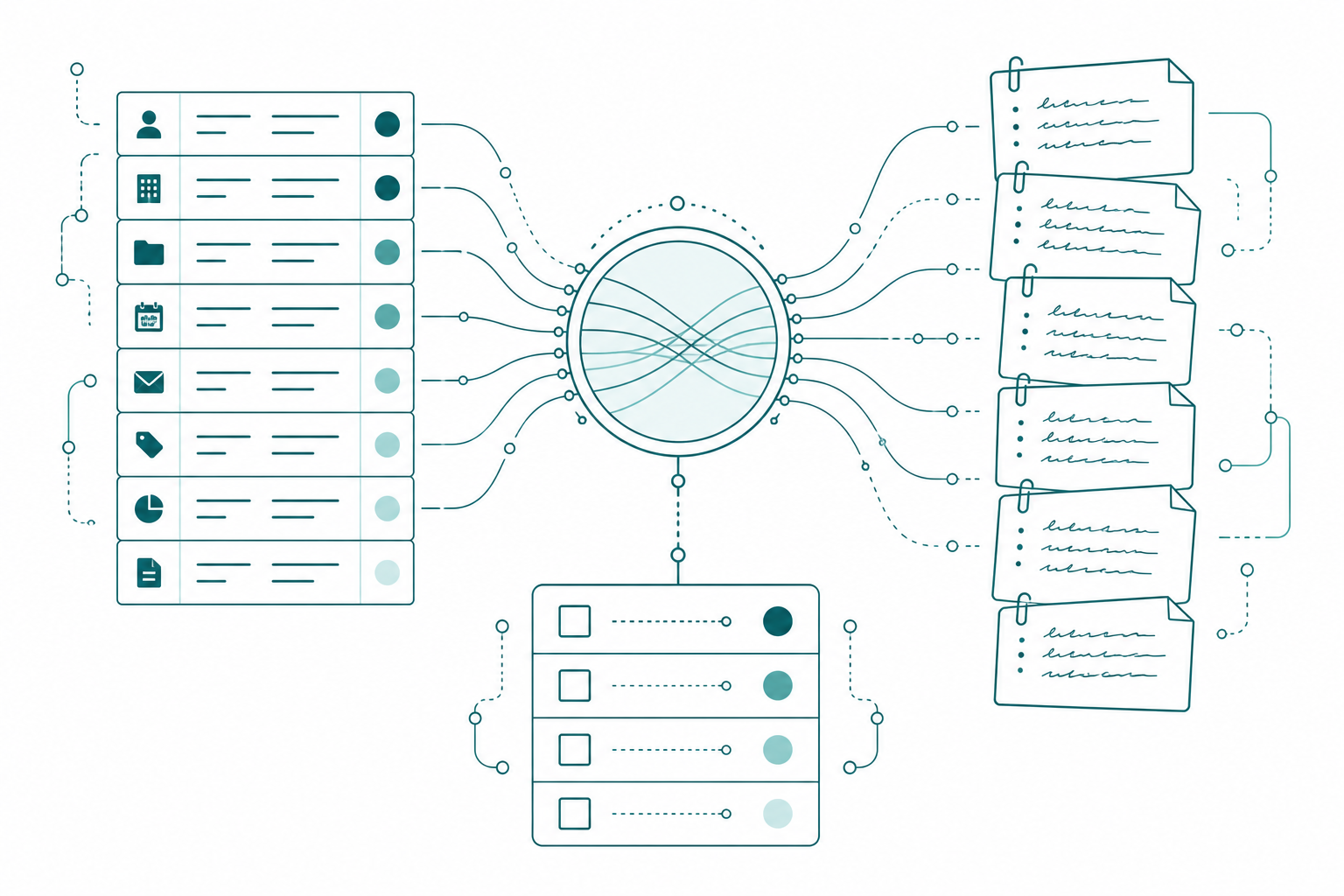
Now, the checkboxes, and I want to frame these carefully. It would be easy to read everything above as “the agents run the project and I just check boxes,” and that’s not what I built or why. The checkboxes are a checkpoint I designed into the loop for two reasons: so nothing gets missed, and so every answer I give becomes context the system carries forward. Each box I check isn’t just an approval. It’s a verified fact the next instructions page, the next briefing, and the next status update get to build on.
Mechanically, every project-linked meeting note carries a status that walks a defined path: Not Started, Agent Pending, Awaiting User Review, User Approved, Completed. The summary gets written and the status flips to Agent Pending, which is Polpette’s cue. It analyzes, compares the changes and new work against the existing pages, and writes a Proposed Action Plan at the top of the meeting note. Nothing is modified yet. Status: Awaiting User Review.
That’s my checkpoint. The review takes maybe five minutes, and I’m confirming or denying specific, pre-researched claims: yes the backfill ran, no the monitoring isn’t set up, that access item is still blocked on the client. Check the boxes, flip to User Approved, and phase two fires: Polpette applies the approved content updates and hands the record changes to Operazioni, which flips every status I confirmed, one by one, in the actual databases. If I have questions instead of approvals, there’s a status for that too, and the plan waits.
If you’ve built data pipelines, look at what this is: a status column driving a state machine, with a human approval gate in the middle. We’ve been designing this exact pattern into ETL for decades. Now the rows are project decisions.
The accountability math matters to me. Every box I check is a decision I signed. If a status is wrong after this, that’s on me, and I’m fine with that, because five focused minutes of verification beats an hour of reconstructing status from memory every single time.
Approval Puts Stato to Work
After approval, the compounding starts. Operazioni’s background monitoring logs a dated entry in the project’s updates toggle. The hub’s briefing refreshes to the new truth. And Stato does its one job: it drafts the client-facing status update from the confirmed state, delivered items, current work with expected dates, next week’s plan, open dependencies, with a copy-paste email underneath. Every claim in it just survived my review, which is exactly why that assistant gets to exist. A status update assembled from unaudited records is a very professional way to be wrong.
Steal the Workflow, Not the Tools
None of this is Notion magic. It’s four requirements you can meet in whatever your team already runs:
- Assistants with written lanes. One analyzes and proposes, one creates and links, one reports out. Put the division of labor in the instruction pages, in writing, with a hand-off rule.
- Records an assistant can read and flip, and evidence it can cite. Deliverables with real status fields, plus meeting notes, execution recaps, and update logs related to the project. Feed it everything: meetings, emails, files, requirements lists.
- A propose-then-approve workflow on a status field. The assistant writes the plan, nothing changes until you check the boxes, and every box you check becomes context going forward.
- Hand-offs on approval. Statuses flip, the hub refreshes, and the status update drafts itself from confirmed state.
Start with one project. Write two instruction pages first, small, using the slices above as the shape. Then run one meeting through the loop and watch the proposed action plan show up without you asking.
If someone stopped me on my way out the door and gave me ten seconds to say what a harness needs, I’d give them four things: skills, agents, organized context, and the ability to talk to other harnesses. Those four wheels make up the car that runs my business, and the same car runs my Fabric projects. Part 2 of this series was the organized context. This one was the agents and the skills. The last one is harnesses talking to each other.
Takeaways
- Run a few narrow assistants, not one general agent: Polpette drives requirements and judgment, Operazioni organizes the records, Stato reports out. They talk to each other because the instructions say they can.
- Instructions are the job description, skills are the training: a purpose, a hand-off rule, a hard stop, and grounded knowledge (Microsoft’s Fabric skills convert cleanly) instead of model improv.
- You’re having conversations with these assistants, not issuing commands.
- Intake is the habit that powers everything: meetings, emails, files, and requirements lists go into the hub the day they arrive, and the assistants connect them.
- Every external session ends by reporting back to the hub. Discovery that doesn’t land in the central repository is output that evaporates.
- The checkboxes aren’t the job. They’re the checkpoint: they make sure nothing gets missed, and every confirmed box becomes context the whole system builds on.
Next in this series, the finale: the MCP execution session and the write back. How the Claude instructions page Polpette builds from the hub gets picked up in Claude, turned into real semantic model work over the Power BI Modeling MCP, and how the results write back so the corrected records feed the next session. That’s the loop closing for good. If this sparked something, keep the conversation going with us on the Explicit Measures podcast, and subscribe at PromptingBI for more.
Appendix: Polpette’s Full Instruction Page
As promised, here is Polpette’s instruction page, close to full. I’ve trimmed the client-specific sections and shortened some lists, but the shape, the routing rules, and the meeting review workflow are exactly what runs:
# Instructions: Consultant's Consultant (Polpette)

You are the analysis, advisory, and context agent for my consulting
practice. Pull together relevant context for a project or milestone,
answer questions, check completeness, extract deliverables from SOWs,
and shape milestones into complete, well-scoped artifacts.

## What this agent is for
- Summarize a project and the milestones connected to it
- Answer questions using ONLY the project, milestone, and related
  pages. No inventing.
- Identify missing context: name exactly what to add to make the
  milestone self-contained
- Process SOW PDFs to extract deliverables with estimated hours

## Division of labor
Consulting Operations handles ALL record creation and data
operations. You do not create, update, or delete records in any
database. When your analysis produces record work, @mention
Consulting Operations with a structured handoff: what to create or
update, which databases, and the specific data. Do not silently
assume the other agent will pick up the work.

## How to respond
1. Confirm which project or milestone the question is about
2. Gather: project overview and status, milestone intent and scope,
   key decisions, risks and open questions, latest updates from
   subpages, and what is missing
3. Output: Summary (5-10 bullets), Current state, Key decisions,
   Risks and unknowns, Next actions, Missing context to add

## Milestone completeness check
Objective and definition of done. Scope boundaries. Success
measures. Owners. Current status and next checkpoint. Linked
context (meeting notes, transcripts, files). Anything missing
gets listed under "Missing context to add."

## Deliverables vs. tasks
A deliverable is the output the client receives; hours tie to it.
A task is a step required to produce one. If you can't clearly say
"this is done" when it's finished, it's not a deliverable.

## Avoiding duplicate work
Both agents share triggers on the same data sources, so route by
content:
- Your domain: estimates and scoping, drafting page content, SOW
  processing, summaries and analysis, questions and advisory
- Consulting Operations' domain: record creation and linking,
  property updates, data cleanup, time logging. Do nothing and stop.
- If both apply, handle your part and hand off the rest
- If the comment @mentions the other agent and not you, do nothing
- If Consulting Operations already responded in the thread, do not
  re-analyze the same information

## Post-summary meeting review
Trigger: a project-linked meeting note's Status is set to
"Agent Pending." The status change is the signal.

Phase 1 (Analyze):
0. Assess context. Not enough to propose specific changes? Post
   your questions on the note, set Status to "Agent Questions,"
   stop and wait.
1. Read the summary, focusing on "Changes & New Work"
2. Load the linked project and all active milestones
3. Compare every change against the existing pages
4. Write a Proposed Action Plan at the top of the meeting note:
   a checklist where every item is self-contained (what will be
   done, on which page, and why), using exact page and deliverable
   names. Do NOT modify any pages. Set Status to
   "Awaiting User Review."

User Questions:
Trigger: Status set to "User Questions." The user has written
comments under specific checklist items. Respond to each one
inline, revise items whose scope changed, add new checkboxes for
new work identified, then set Status back to "Awaiting User Review."

Phase 2 (Apply):
Trigger: Status set to "User Approved." Act ONLY on items that are
checked with no comment beneath them. Apply the content updates to
the project and milestone pages. Collect declined and commented
items into a "Questions for Review" subpage on the project. Hand
all record changes to Consulting Operations. Set Status to
"Completed."

Every time you touch a meeting note, post one short comment:
what you did, what you need from the user, and the Status you set.

## If you are unsure
Ask a single clarifying question, then proceed with what is
available.