
From Notion Page to Power BI Model: Inside an MCP Execution Session
August 5, 2026 · Tommy Puglia
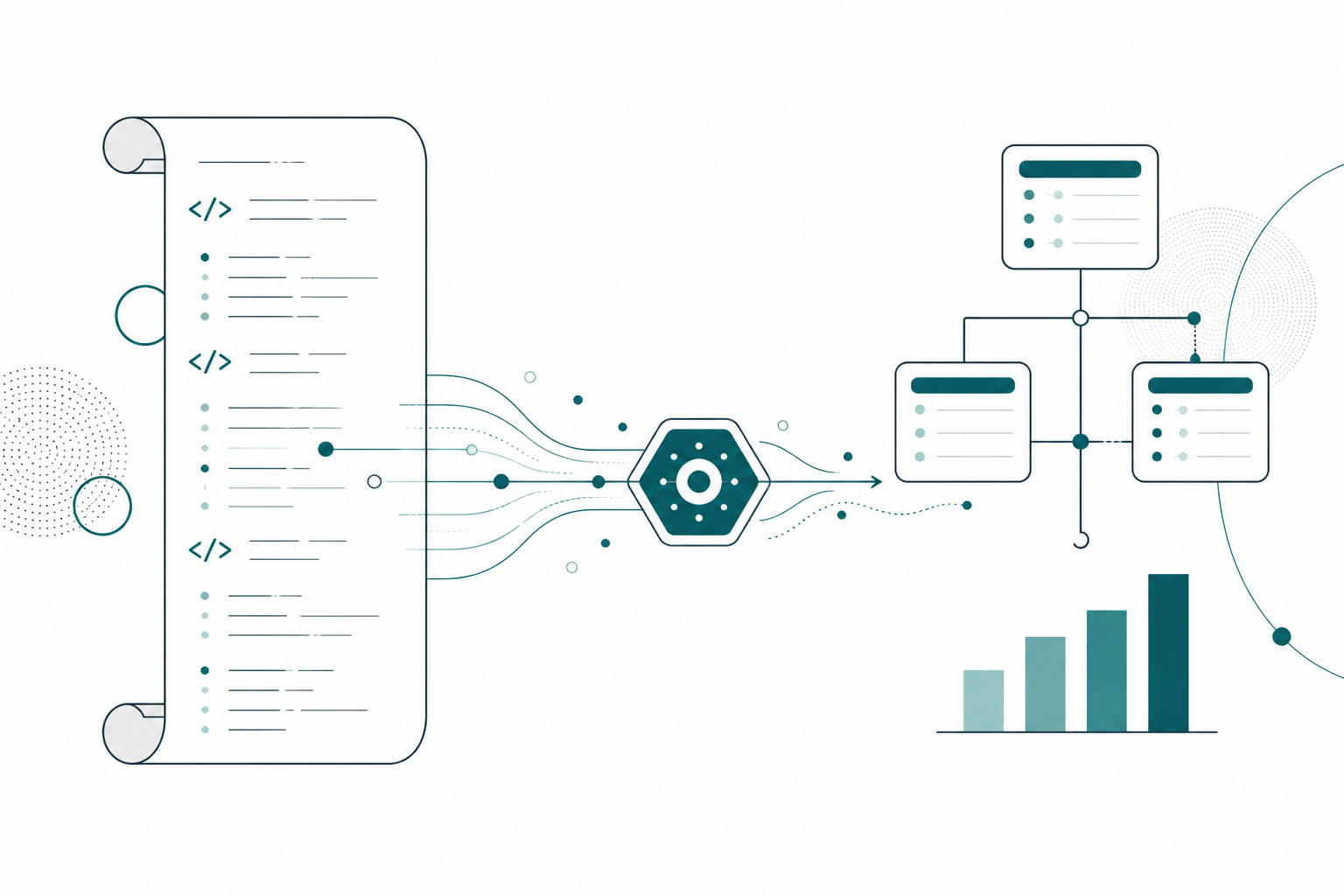
At the end of part 3 I said a harness needs four wheels: skills, agents, organized context, and the ability to talk to other harnesses. Part 2 built the organized context. Part 3 covered the agents and the skills. This is the fourth wheel, and it’s my whole thesis in one sentence: harnesses work best when they can talk to each other. This post is that conversation happening: the session where I open Claude, type one line, and semantic model changes start landing in Power BI over MCP while I do something else.
The whole trick sits in a single artifact. For every project I run, my Notion agents generate a Claude instructions page, written from the hub: every meeting, every deliverable status, every scope decision. It’s the handoff between the second brain that organizes and the harness that executes. And because I get asked what one actually looks like, I’m going to walk you through the real one from my Northside Baseball project (the team from the hub tour) section by section.
This Is Not a Prompt. It’s an Operational Brief.
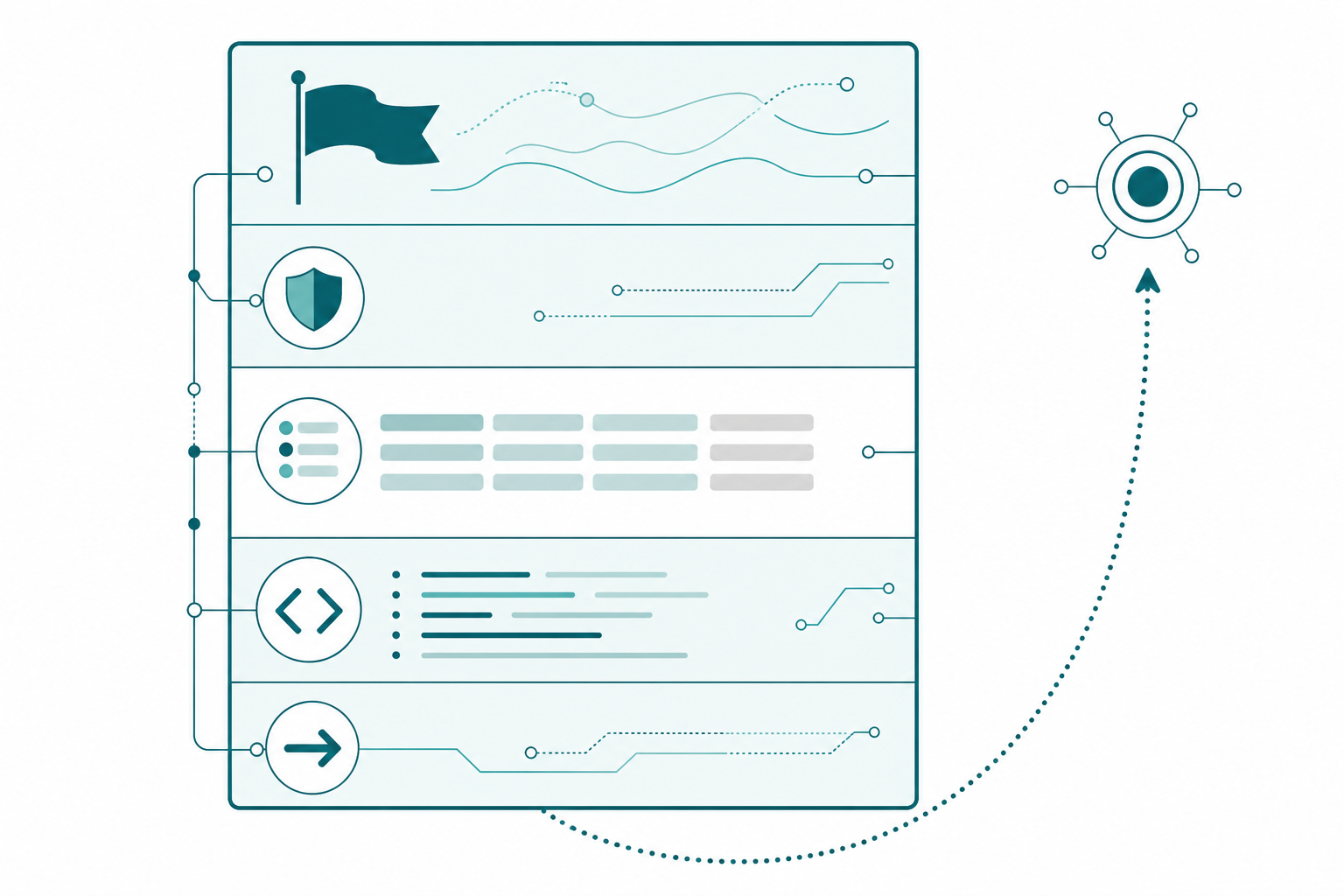
The first thing people get wrong about instructions pages is scale. This isn’t three sentences of “you are a helpful Power BI assistant.” The Northside page scrolls, man. Here’s the anatomy, top to bottom.
A role statement. One paragraph: you are a Power BI modeling agent, your job is to build out the Northside semantic model, you have two MCP servers available, the Power BI Modeling MCP and the Notion MCP. And then the sentence that defines the whole session: use both together, read requirements from Notion, build the model over MCP, report back when done.
A dated priority callout at the very top. Big, red, impossible to miss, and titled like it means it: #1 priority, only focus until shipped. Right now on Northside that’s the Ticket Sales dashboard measure set, because sandbox session one with the ops team can’t be scheduled until it ships. And here’s the detail level, because this is where most instructions pages are too thin. The callout doesn’t just name the measures. Straight off the page:
### What to build (in _Ticket Sales, priority order)
- This Game Revenue, Prior Game Revenue, Game over Game Revenue %
- Season to Date Revenue (season boundary from DimGame[SeasonKey])
- Section Utilization % = DIVIDE([Tickets Sold], [Section Capacity])
- Yield per Seat = DIVIDE([This Game Revenue], [Section Capacity])
- Trailing 5 Game Avg Attendance and Attendance vs 5 Game Avg %

### Format (non-negotiable)
- Every dollar measure: currency, zero decimals
- Every percentage measure: percentage, 1 decimal

### Smart anchor pattern (use on every game-window measure)
VAR _LatestGame =
    IF ( ISFILTERED ( DimDate[Date] ),
        MAX ( DimDate[Date] ),
        CALCULATE ( MAX ( FactTicketSales[GameDate] ), REMOVEFILTERS () ) )

Dashboards must show current data on load with no slicer selected;
if a user applies a date or game filter, respect it.
Measure names with expression sketches, format rules the agent can’t negotiate, and a DAX pattern with the business behavior it protects written underneath it. That last line is the part people skip: the anchor pattern exists because the dashboards must open on current data with nothing clicked, and the agent needs to know WHY, not just what. The callout also says explicitly what NOT to touch: the STH churn work and the concession scoping are separate sessions. Agents drift exactly like junior consultants drift. Scope fences fix both.
Standing directives. These are the rules that survive across sessions. My favorite one, and I’d tell you to steal it verbatim, is the DAX autonomy directive: the DAX patterns written in the instructions are starting points, not templates. The agent has full authority to write better DAX than I sketched, so long as it documents its reasoning in code comments where it deviates. I want an expert modeler, not a copy machine.
Deferral notices. Scope that got cut stays ON the page, marked deferred, with the date and the reason. On Northside that’s concession and sponsorship revenue: the fact tables exist, the relationships are wired, and the callout says build nothing against them until the STH Insights dashboard is signed off. When the client asks about it in three weeks, the context is right there, and the agent doesn’t accidentally rebuild something we parked on purpose.
A verified model state. The current truth: 18 data tables, 63 relationships, AXS ticketing CSV as the primary source, the data dictionary validated, and the measure inventory by display folder. Nobody hand-counted any of that; the model stats come off the same MCP server that does the building, which is the only reason I trust them. Critically, this section carries a date and a warning: anything below written before the build uses assumed column names, always read the verified state first. Instructions pages age, and honest ones SAY so. The actual line on the page: instructions age; the model is the truth.
What to read before starting. A table of Notion pages, each with “what to look for”: the milestone page for scope, the data dictionary for column truth, the latest meeting notes for anything that moved. The agent pulls these itself over the Notion MCP. I don’t paste anything.
And at the bottom: what to report back. Every session ends by writing a recap to the hub. Non-negotiable, and it’s IN the instructions so I never have to remember to ask.
One Page Per Job: It’s a Library, Not a Document
Here’s the part that surprises people when they see a real project: there isn’t one instructions page. There’s a family of them, and each one is scoped to a tool plus a job.
The semantic model page I just walked through is the master brief for MCP model work. Sitting next to it on Northside:
- API discovery instructions, written for Claude running as a Chrome extension alongside Postman. Its job is to discover and document the AXS ticketing API, endpoint by endpoint, so the Fabric notebooks know exactly what to pull. It opens with a hard guardrail (read-only, GET requests only) and a “Step 0: verify auth before doing anything, and if it fails, stop and report, don’t guess.” Every finding maps to a notebook config value, so discovery output drops straight into the build.
- Notebook standards instructions for the Fabric PySpark side: naming conventions, the shared-functions pattern (thin declarative notebooks, one config block each, all plumbing in
utils_*), validation requirements, logging standards. Any agent writing a notebook reads this first, which is why thirty notebooks look like one person wrote them in one sitting. - Milestone-scoped instructions when a work stream gets big enough to deserve its own fences, pointing at the same shared model but a different measure set.
All of it hangs off a Data Resource Index, one page that lists the library in workflow order (plan, discover, build, AI tooling) with a status note per source: AXS CSVs landed to bronze, Salesforce notebooks in sprint, QuickBooks running in parallel, the sponsorship tracker parked with the deferred scope. That’s the page an agent hits when it needs to know which instructions apply.
And every page in the library ends the same way: a named list of Notion pages to update when the work is done, with a line that says the session isn’t finished until those updates land. More on that at the end, because it’s the whole game.
What MCP Actually Is, and Why a Modeler Should Care
Before we get to the tools, let’s define the thing, because I’ve watched too many people nod along at “MCP” without knowing what it buys them. MCP is the Model Context Protocol, an open standard that lets an application publish a menu of operations an AI agent is allowed to call. Not screen scraping. Not browser clicking. Not me copying code out of a chat window. The application says “here is what you can do to me, and here’s the shape of each request,” and the agent connects and does it. If you’ve ever handed a client an API contract, you already have the mental model.
That standard part is why my whole loop works. Notion publishes an MCP server. Microsoft publishes one for Power BI. Claude sits in the middle speaking the same protocol to both. So in one session, the agent reads my instructions page and walks the hub’s relations over the Notion MCP, then turns around and changes the semantic model over the Power BI Modeling MCP, then writes the recap back through Notion again. The second brain and Power BI have no idea the other exists. They don’t need to. The agent is the conversation, and MCP is the language it’s speaking on both sides.
Now the part that matters if you build semantic models for a living. Without MCP, an AI-assisted modeling session looks like this: the chat writes DAX, and I’m the courier. Copy out of the chat, paste into Desktop, discover it guessed a column name that doesn’t exist, paste the error back, repeat. The model living in the chat’s head is fiction, because the chat has never seen your model. Over MCP, three things change:
- The agent reads the real metadata before it writes anything. Actual table names, actual columns, actual data types, actual relationships. It doesn’t hallucinate
FactSales[Revenue], because it can list what’s there and look. - Changes land as typed modeling operations, not pasted text. A measure arrives with its expression, format string, and display folder in one call, the same TOM surface Tabular Editor and the XMLA endpoint speak, so nothing about your model gets dumbed down for the AI.
- The agent can check its own work against the model. It executes DAX and reads the numbers that come back. A chat can write DAX. An MCP session can PROVE it.
That third one is the whole game to me. The difference between a code suggestion and a working measure set is somebody running the queries, and with MCP that somebody doesn’t have to be you.
The Tools Section: MCP Is Spelled Out, Not Assumed
The middle of the page documents the two MCP servers like you’d document any dependency. For the Power BI side, that’s Microsoft’s Power BI Modeling MCP server, and it deserves a proper introduction, because half the people I talk to don’t know it exists. It’s an official Microsoft server, currently in public preview, that runs locally on your machine as an npm package and gives an agent direct modeling access to a semantic model, whether that model is open in Power BI Desktop, sitting in a Fabric workspace, or living in PBIP files. Microsoft’s Power BI MCP overview on Learn covers the full picture, including its hosted sibling, the remote Power BI MCP server, which is built for asking questions of published models rather than changing them. Modeling work wants the local one.
The instructions don’t just name the server. They spell out what the agent is able to DO with it, and the rules for doing it. Straight off the page:
## Your MCP Tools: Power BI Modeling MCP Server

Direct access to tables, columns, measures, relationships, and
DAX queries inside the open semantic model.

| Operation                | Use it for                           |
| connection_operations    | Find and connect to the open model   |
| table_operations         | Tables, schemas, refreshes           |
| batch_measure_operations | Create the measure set in one call   |
| relationship_operations  | Verify, adjust, activate, find       |
| dax_query_operations     | Validate, execute, clear cache       |
| transaction_operations   | Begin, commit, roll back bulk work   |
| model_operations         | Model stats and TMDL export          |

Connect with: Connect to 'Northside_TicketSales' in Power BI Desktop

Rules:
- Begin a transaction before any bulk change
- Use readonly mode for exploration sessions
- Run the validation queries before reporting anything as done
And that table is the short list. This server covers the entire modeling surface: columns and partitions, calculation groups, user hierarchies, perspectives, row-level security roles, translations, even Power Query parameters. The batch operations take a whole list of measures in one call, with a flag to continue on error and a flag to wrap the batch in a transaction. It can export any object, or the whole model, to TMDL for source control, and deploy to Fabric when the work is signed off. Everything a modeler touches in Desktop, an agent can now touch over MCP. Which is exactly why the scope fences at the top of the page exist: an agent with this much reach and no fences is a liability.
Two habits in there worth copying. First, bulk changes get wrapped in a transaction so a bad batch rolls back instead of leaving the model half-modified. Second, validation is demanded, not suggested. And on that second one, here’s the real secret of running MCP sessions well, because the page doesn’t just point at dax_query_operations and hope. It writes the agent’s acceptance tests for it. This section sits near the bottom of the instructions, titled “Validate Before You Report”:
## Validate Before You Report
Run these through dax_query_operations after building:

-- Row counts against the verified model state
EVALUATE ROW ( "Games", COUNTROWS ( DimGame ),
               "TicketRows", COUNTROWS ( FactTicketSales ) )

-- Orphaned keys
EVALUATE FILTER ( FactTicketSales,
    NOT ( FactTicketSales[GameKey] IN VALUES ( DimGame[GameKey] ) ) )

-- Spot check: revenue by game matches AXS source totals
EVALUATE SUMMARIZECOLUMNS ( DimGame[GameKey],
    "Revenue", [This Game Revenue] )

-- New measures return sane numbers with no filter context
EVALUATE ROW ( "ThisGame", [This Game Revenue],
               "Trailing5Attend", [Trailing 5 Game Avg Attendance] )
This is what “instructions for MCP” actually means, and it’s the part I’d tell you to steal above everything else. Not “you have tools.” Which tool, in what order, wrapped in what safety, with which exact queries deciding whether the work counts as done. The MCP gives the agent hands. The instructions give it a checklist for what its hands just did.
Fabric Doesn’t Have to Be the Second Brain
Before the session, one opinion, because I get pushback on this. People keep wishing the second brain lived INSIDE Fabric. I love Fabric, and I’ll tell you it’s the wrong lane. Fabric is meant for the data, the models, the workloads, and it’s quietly becoming a great backend: services with APIs and MCP servers on top. I’m completely fine with Fabric not being my second brain, as long as it picks up when my harnesses call. MCP is that bridge.
And the Fabric MCP servers are shipping software, not a roadmap slide. There are two of them, both worth knowing. The Fabric Core MCP server is a hosted endpoint an agent calls to search the OneLake catalog, manage workspaces and items, and handle permissions, all under your own Entra ID, so it can only do what YOU can do. The Fabric MCP server (local) is open source and runs on your machine: it hands the agent the full Fabric API specs, item definitions, OneLake file operations, and built-in best practices. That local one is how my notebook sessions know what a correct pipeline definition looks like before anything runs against the tenant.
Think of the instructions page plus the MCP server as a data contract between two harnesses. Notion holds the context and the scope; the MCP moves the work. And the payoff is real: I can have Claude Desktop build and validate my Fabric notebooks over MCP while I’m drinking coffee. I never even open fabric.com.
The Session Itself
Here’s the entire kickoff, typed into Claude Desktop or Cursor:
Read the Claude instructions for the Northside semantic model work. Let’s start there.
That’s it. That’s the prompt. If you’re still hunting for the perfect prompt, you’re optimizing the wrong layer. One boring line is enough when the context engineering already happened somewhere else. Watch what happens next.
The agent pulls the instructions page over the Notion MCP and reads it clean. It sees the priority callout, so it knows this session is Ticket Sales measures and nothing else. It sees the “read first” table, so it fetches the milestone page and the data dictionary. It sees last session’s recap sitting in the page, so it knows the star schema is done and where the measure work left off. Then it connects to the Northside_TicketSales model in Power BI Desktop, exactly the way the tools section told it to.
From there it’s a working session. It begins a transaction. It creates the measures as a batch, not one measure per prompt: the game-day revenue set, the section utilization calculations, the pricing tier yield measures, each with its format string and display folder set on the way in, each one anchored to the patterns and fences in the instructions, each one written with the autonomy directive in effect.
Here’s one measure from that batch, and it’s the directive working exactly as designed. The instructions sketched a DATEADD pattern over DimDate for the game-over-game comparison. The agent noticed that breaks on doubleheaders, two games sharing one date, so it walked the game sequence on DimGame instead, and documented the deviation right where I’d look for it:
Game over Game Revenue % =
-- Deviation from instructions: DATEADD over DimDate double-counts
-- doubleheaders (two games, one date). Walking DimGame[GameNumber]
-- instead so every game compares to the actual prior game.
VAR CurrentGame = MAX ( DimGame[GameNumber] )
VAR PriorRevenue =
    CALCULATE (
        [This Game Revenue],
        DimGame[GameNumber] = CurrentGame - 1,
        REMOVEFILTERS ( DimGame )
    )
RETURN
    DIVIDE ( [This Game Revenue] - PriorRevenue, PriorRevenue )
I didn’t write that measure. I read the comment, understood the reasoning in ten seconds, and moved on. That’s the review posture this whole system is built for.
When the batch is in, the checks start. DAX validation first, because the MCP can validate an expression without executing it, so syntax garbage never touches the model. Then it runs the Validate Before You Report block you saw earlier, exactly as written on the page: the row counts against the verified state, the orphan key check, the AXS spot check, the sanity row with no filter context. I didn’t ask for any of that in the session. The page did.
I want to be honest about what I’m doing during this: not much. I review the plan it proposes at the start, I answer the occasional judgment question, and I read the diff at the end. I used to be the courier between the chat and Desktop, copying DAX one direction and error messages the other. MCP fired me from that job, and I don’t miss it. The re-prompting, the context pasting, the “no wait, remember the fiscal calendar” corrections that used to eat my sessions? Gone, because all of it lives in the page. The instructions did the remembering.
The Session Isn’t Over Until Notion Knows
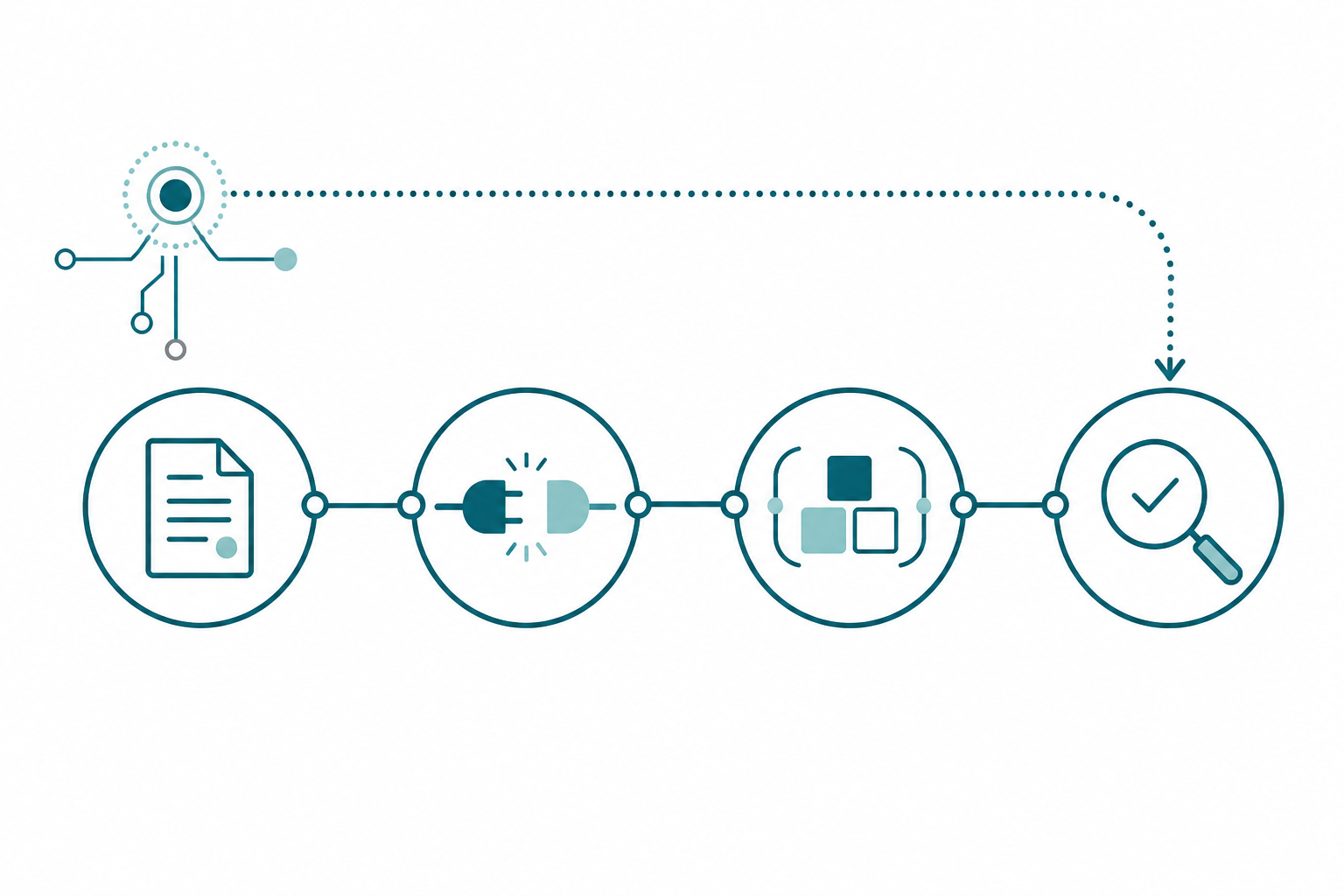
The last instruction on the page is the one that makes this a loop instead of a one-off. The agent writes a recap back to the Northside hub over the Notion MCP: what was built, what was validated, what got flagged, what’s next, plus fresh model stats pulled over the Modeling MCP so the verified state section stays true. And the recap isn’t a note, it’s a trigger. It flows back into the hub, the deliverable statuses flip because the measure set shipped, the milestone news updates, and the next instructions page, whenever it gets generated, already knows the Ticket Sales measures exist.
Skip the recap and you’re back where everyone starts: a pile of good work your system never learned from, and a next session that opens with re-explaining. The recap is cheap. Amnesia is expensive. The instructions page ends with the whole philosophy in one line: a session without a recap is not done.
The assistants that review all this, catch what the records missed, and put a human checkpoint on the changes? That was part 3.
Run One Session This Week
- Write one instructions page for one deliverable. Steal the anatomy: role, dated priority callout, standing directives, verified state, read-first table, report-back requirement.
- Document the tools in the page. Which MCP servers, which operations the agent will use, and the connect line. It shouldn’t have to guess what it’s allowed to do.
- Add scope fences. What this session is for, and explicitly what it must not touch.
- Require transactions and validation. Bulk changes roll back; DAX checks run before the agent claims done.
- Require the recap. Last line of the page: report back to the hub, statuses and all.
Then open your harness, type the one line, and let the page do the talking.
Takeaways
- MCP is a contract, not a gimmick: the agent reads real model metadata, makes typed modeling changes, and proves its own DAX against the live model instead of pasting suggestions into a chat.
- An instructions page is an operational brief, not a prompt: role, dated priorities, standing directives, deferred scope, verified model state, and the MCP tools spelled out in one place.
- Instructions scale as a library, not a mega-document: one page per tool plus job (model work, API discovery, notebook standards), hanging off a resource index the agent can navigate.
- The Modeling MCP reaches everything a modeler touches, tables to RLS roles to TMDL export, so scope fences and deferral notices are what keep an agent from drifting or rebuilding things you parked on purpose.
- The autonomy directive turns the agent from a template-follower into a modeler: patterns are starting points, deviations get documented.
- Wrap bulk model changes in transactions and validate with DAX queries over MCP before calling anything done.
- MCP is the bridge between harnesses: Notion holds the context, the MCP server moves the work, and Fabric gets to stay in its lane as the data backend.
- The session ends when the recap lands in the hub, not when the code runs.
That’s the series, and that’s the car: skills, agents, organized context, and harnesses that talk to each other. A hub that organizes the context, assistants that keep it honest, and a session that executes over MCP and writes back. The prompt was never the product; the loop is. If this sparked something, keep the conversation going with us on the Explicit Measures podcast, and subscribe at PromptingBI for more.